It was 1:30 am, and I felt bad in an odd sort of way, even lying down.
I knew that I needed to get this checked out by a doctor.
My pulse was racing at 93 beats per minute - my heart was struggling even as I rested quietly. My blood pressure was 161 over 95; very very high.
I finally told Le'ema what was going on. She asked me how I felt. I said I felt bad, that something was really wrong. She asked for more details, but there was nothing else I could really say to describe it.
I asked her to drive me to the emergency room at the local hospital at about 2 am.
We raced the 15 minutes to Marin General Hospital as I steadied my nerves, attempting to breathe slowly and fully.
My wife remained calm, although inside she was a wreck.
She is a "shero" (female hero) for getting me there safely!
At the Hospital Door
We walked up to the emergency room door and she announced to the nurse "My husband is having a heart attack."
It was very scary, although they treated us efficiently and quickly got me to an examination room. The EKG came back "abnormal" and Dr. Gin (who had rushed over from her nearby home) told me in a steady voice "you have serious heart disease, and we're taking you to the Cath Lab right away."
I had never been told that I had heart disease, this was a surprise.
The last time I had a complete physical checkup (4 years ago), I had been told my cholesterol was high and that I should start taking statin drugs to control it. I asked if I could reduce my cholesterol through diet instead, and was told "maybe, you can try"...so I took that as a go-ahead to make some small changes (such as eating oatmeal from time to time).
Big mistake. I never went back for a follow-up.
Here I am 4 years later, at the emergency room with a heart attack.
Stupid me.
Fixing me up...modern science at it's best
My wife was allowed in to see me before they took me to the Cath Lab. She was delighted to see the all female medical team, and as they wheeled me away Dr. Gin talked with her about my condition. Le'ema says Dr. Gin is a real "shero" for saving my life.
The Cath Lab is a short name for the Cardiac Catherization Laboratory, where they perform angioplasty procedures to open up cardiac arteries for people in distress like me. They placed my right arm in a sterile covering (a super-long glove) and proceeded to insert a catheter tube into an artery on my wrist, and snake it up to my heart.
It's incredible. I'm lying there awake (they only lightly sedate the patient) and listening to the medical team as they review the images onscreen showing my heart beating. The angiograms are somewhat like X-Rays, imaged using the CAT Scan machine that I'm lying on, using a radioactive contrast dye that they drip into my blood vessels.
After the procedure, I was shown the rather beautiful, intricate traceries of the blood vessels. Apparently my main artery, the one they call The Widowmaker, was 95% blocked. This severely limited the blood flow and caused the sensation of being short of breath - my heart was not getting enough oxygen, even as I breathed in as much air as I could.
I lay there for more than 2 hours as they planned and executed the procedure. There were complications and they had to figure out the best way to handle the most important blockages first.
Angioplasty opens up the arteries (which have been clogged with sticky plaque from the cholesterol and blood cells that get stuck on it) using a tiny balloon that pushes apart the artery walls. Then the balloon is removed and a stent (a tiny metal framework almost like a woven basket) is inserted and expanded. This keeps the walls separated so they don't collapse back down.
This process has only been in use for the past 25 or 30 years. Prior to that, a blockage like I had would have meant open heart surgery and multiple bypasses (extra blood vessels removed from another part of the body and placed in the heart to facilitate normal blood flow).
I am SO grateful that the doctors were able to handle this almost like magic - threading a tube through my body, with just a tiny insertion into my wrist!
After 2 hours they decided to give my body some rest; they had put in 3 stents, taking care of the emergency. They told me that I would get 2 more the next day, after my body rested and would be able to tolerate another procedure.
My wife had been in a waiting room nearby, all by herself. She was beside herself, not knowing whether I would survive. After 2 hours they came out and told her it had been a success, and she found her way up to my hospital room. She went home at 5 or 6 in the morning, and tried to sleep.
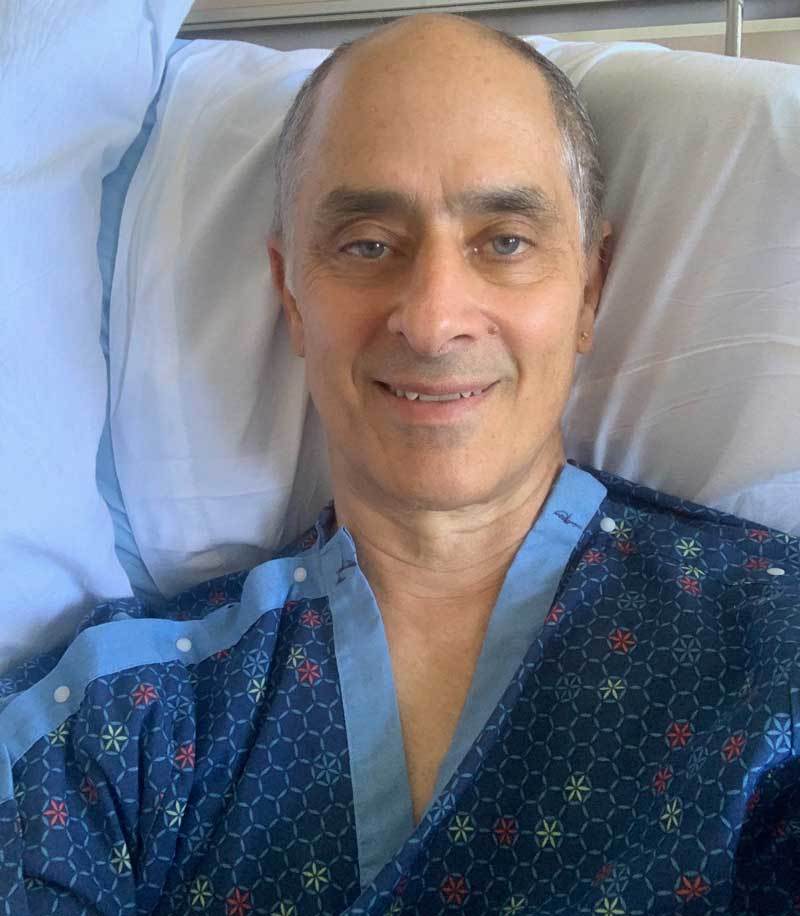
A 4 minute message from my hospital bed
Hospital Routine? Not Quite...
I settled into my new routine in the hospital - nurses coming at all odd hours, checking my "vitals" - blood pressure, heart rate and oxygenation of my blood; drawing blood; running additional EKG tests, and god knows what else.
A sweet young nurse came in later that morning to do a bedside echocardiogram. Just like the sonograms that are used to image the fetus in a pregnant woman, a metal device was rubbed slowly over my chest and shot sound waves into my body. Onscreen my heart revealed its structure and movement. It was bizarre and wonderful to see my beating heart onscreen.
She looked from all different angles, then paused in one area. One part of my heart wall was not moving as it normally should; it is in shock from the heart attack. It may recover full function - or not - they can't tell yet.
She looks deeper, and injects an albumen-based (non-radioactive) contrast dye through my intravenous feed.
This allows her to study an area that shows another issue - a clot, or thrombis.
This is somewhat serious - clots can grow or detach and move to another area such as the lungs or brain, and can be fatal.
They immediately put me on "blood thinners" to reduce that risk to a minimum. I'll be on these meds for a few months. The hope is that the clot will gradually dissolve as my heart returns to more healthy function.
I ask the cardiologists who come by my bedside whether I'll be OK. They say I will need to be careful, but they are hopeful that with the right meds, and better diet and moderate exercise, I'll be OK.
The next day, my brother tells me that he has 2 stents, put in 22 years ago. My cousin, age 90, tells me a similar story. I'm filled with hope, and so grateful that at age 67 I have been given another chance.
The Next Chapter
I love my life and my work - however I've let my work rule my day to day life to an unhealthy extent. Staying up until 1 or 2 am catching up on emails and answering support questions. Sleeping 6 or 7 hours then forcing myself to get back to work with just a coffee as my breakfast. No time for exercise, other than walking the dog.
Since I got out of the hospital one week ago, I've been walking several times a day, enjoying the fresh air on my own, or with our dog, or with my wife and the dog. I've been taking naps, sitting in the sun in our glorious, peaceful backyard.
I've started back to work, however I'm giving myself some slack...and stopping my nightly work shift well before midnight...
Of course, the real challenge will be how to prioritize health and relaxation while still getting the essential work done.
I've received so much support from family, friends, business associates, clients and "followers" (people who enjoy my free Archicad tutorials or other resources I share). Hundreds of messages of encouragement, and many stories of overcoming similar challenges. These boost my spirits.
I know I make a difference in this world, and that people care about me. I have much to live for, and am so very grateful to have some more time to enjoy and to share my gifts.
If you're reading this, please know that you are important to me. I wish you the best in your life, and that you may have abundant health and joy.
Don't be stupid like I was.
If you get medical advice, don't ignore it. None of us is a superman or superwoman. I have been healthy all my adult life, hardly ever getting sick. That didn't keep me from getting heart disease. "I shoulda known better..."
In humility, and with deep gratitude,
Eric